

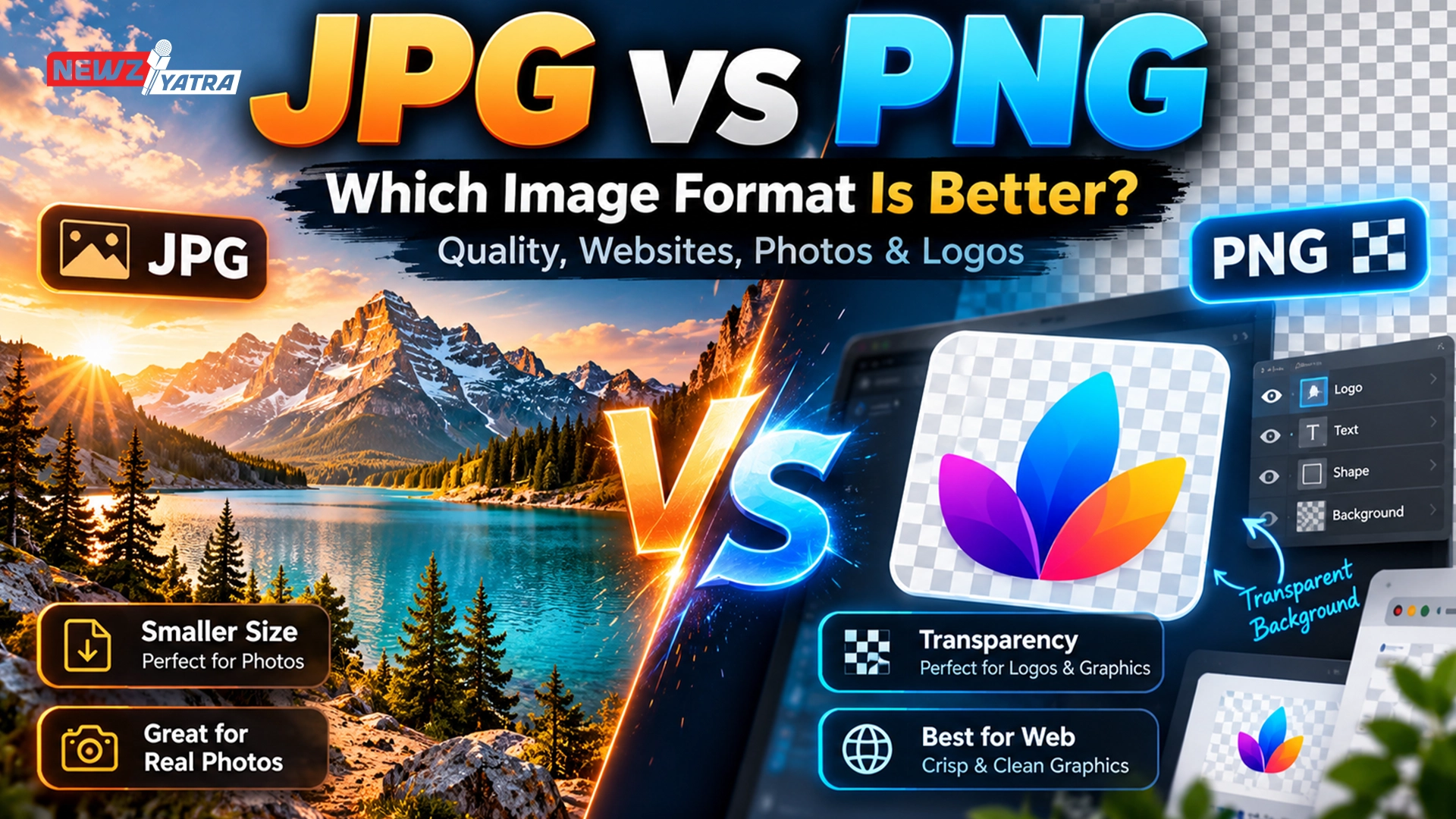

JPG vs PNG: Which Image Format Is Better for Quality, Websites, Photos and Logos?
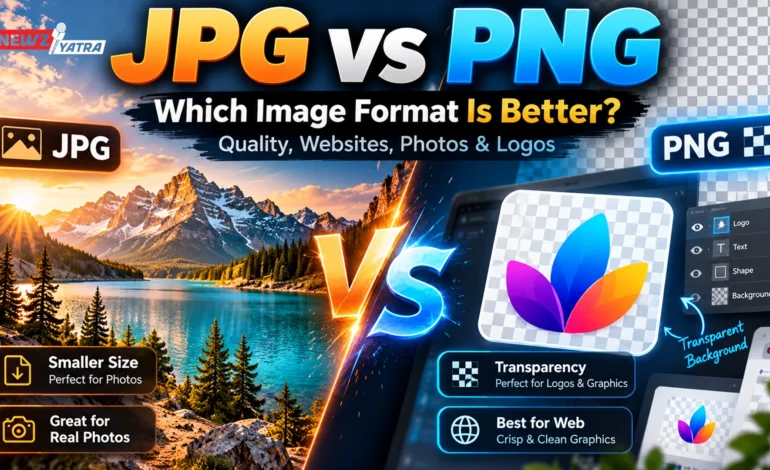

JPG vs PNG- You have a photo ready to upload.
Your software asks one simple question:
JPG or PNG?
It sounds like a small decision, but choosing the wrong image format can leave you with a blurry logo, an unnecessarily huge website image, a missing transparent background, or a file that looks fine on your computer but loads painfully slowly online.
The confusing part is that neither JPG nor PNG is simply “better.”
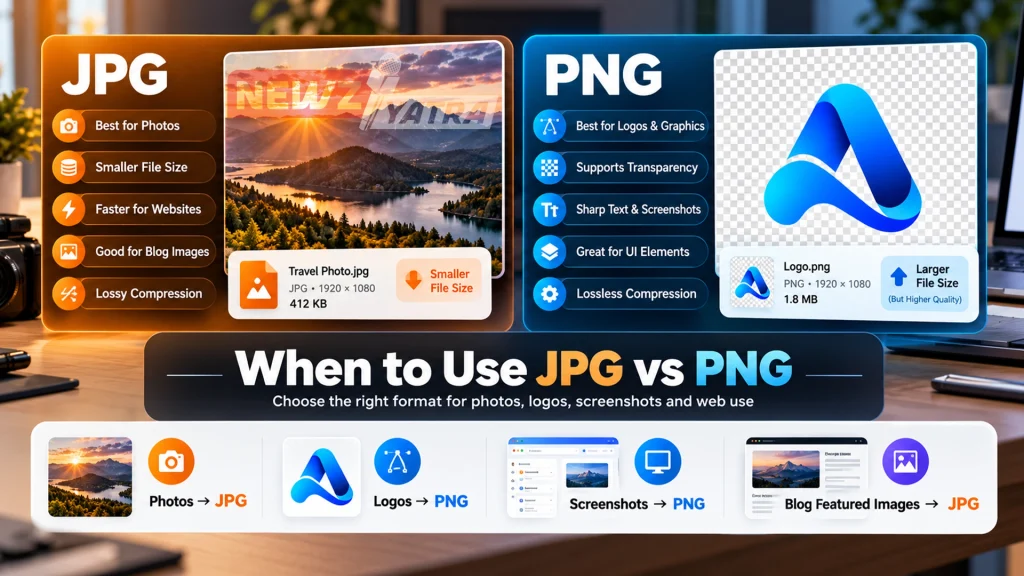
They were built for different jobs.
A JPG can turn a large photograph into a much smaller file while keeping it visually impressive. A PNG can preserve sharp text, graphics and transparent backgrounds without throwing image data away.
Use JPG where PNG makes sense and you may lose clarity.
Use PNG where JPG would work perfectly and you may end up with a file many times larger than necessary.
So the useful question is not:
“Is JPG better than PNG?”
It is:
“Which format is better for this specific image?”
In this guide, we will compare JPG vs PNG for image quality, file size, websites, photography, logos, screenshots, printing, social media and SEO. We will also look at when neither format is the best choice and a modern format such as WebP may make more sense.
JPG vs PNG: The Quick Answer
If you only want the practical rule, remember this:
Use JPG for photographs and realistic images.
Use PNG for logos, screenshots, graphics, text and transparent backgrounds.
That rule works surprisingly well.
JPG uses lossy compression, which reduces file size by permanently removing some image information.
PNG uses lossless compression, meaning the image data is preserved when the file is compressed. PNG also supports transparency, while JPG does not.
Here is the comparison at a glance:
| Feature | JPG | PNG |
|---|---|---|
| Compression | Lossy | Lossless |
| Typical file size | Smaller for photos | Often larger |
| Transparency | No | Yes |
| Best for photos | Excellent | Usually inefficient |
| Best for logos | Usually no | Excellent |
| Best for screenshots | Can blur text | Excellent |
| Best for text graphics | Not ideal | Excellent |
| Repeated saving | Can reduce quality | No format-related quality loss |
| Website performance | Excellent for photos | Good only when needed |
| Compatibility | Excellent | Excellent |
That is the short version.
The more useful answer depends on what your image contains. (JPG vs PNG)
What Is a JPG File?
JPG, also written as JPEG, comes from the Joint Photographic Experts Group, the organisation behind the compression standard.
JPG became popular because digital photographs contain enormous amounts of visual information.
Saving every pixel exactly as captured can create very large files.
JPG solves that problem by using lossy compression.
Instead of preserving every piece of image information, the format removes some data that the human eye is less likely to notice.
This allows photographs to become dramatically smaller.
Adobe notes that JPG files can represent millions of colours while compressing detailed photographs into manageable file sizes.
That is why JPG remains so common for:
- digital photography
- travel photos
- blog images
- product photos
- social media photography
- email attachments
- large image libraries
The Main Advantage of JPG
The biggest strength is simple:
excellent image quality at a relatively small file size.
Imagine a high-resolution travel photograph.
As a PNG, it could become several megabytes.
As a properly compressed JPG, the same image may be far smaller while looking nearly identical at normal viewing size.
That makes JPG particularly useful for the web.
Smaller images download faster.
Faster pages are better for readers.
And page performance matters for user experience and SEO. (JPG vs PNG)
The Main Weakness of JPG
JPG achieves smaller files by discarding information.
Once that information is gone, it cannot be recovered from the JPG.
Heavy compression can introduce visible artifacts such as:
- blocky areas
- fuzzy edges
- colour banding
- blurred text
- loss of fine texture
Repeatedly opening, editing and resaving a JPG can also cause further quality degradation.
That is why JPG is excellent as a delivery format for photos, but not always ideal as your only master editing file.(JPG vs PNG)
What Is a PNG File?
PNG stands for Portable Network Graphics.
Unlike JPG, PNG uses lossless compression.
That means the format compresses an image without deliberately throwing away image information.
When decoded, the pixels remain preserved.
PNG is especially effective when an image contains repeated colours, flat areas and sharp edges.
Examples include:
- logos
- icons
- screenshots
- charts
- UI graphics
- illustrations
- diagrams
- text-heavy images
PNG also supports an alpha channel, which allows partial or full transparency.
That single feature is one of the biggest reasons PNG remains important today.
Adobe specifically highlights transparent backgrounds and sharp web graphics as major PNG strengths.
JPG vs PNG Quality: Which Looks Better?
This is where people often oversimplify the comparison.
You may hear:
“PNG has better quality.”
Technically, PNG preserves image information because it is lossless.
But that does not automatically mean a PNG photograph will look noticeably better than a good JPG.
A high-quality JPG photograph can look virtually identical to the original at normal viewing size while using far less storage.
The difference becomes easier to see when the image contains:
- very small text
- sharp straight lines
- flat colours
- UI elements
- diagrams
- icons
JPG compression can create visible fuzziness around those edges. (JPG vs PNG)
PNG keeps them crisp.
So the better question is:
For photographs?
JPG is usually the smarter choice.
For graphics and text?
PNG is usually the smarter choice.
A niche image-testing guide published in 2026 reached the same practical conclusion after comparing files directly: photographs typically benefit from JPG’s much smaller size, while PNG performs better on flat graphics and sharp edges.
JPG vs PNG File Size: Which Is Smaller?
For most photographs:
JPG is considerably smaller.
This is one of the biggest reasons the format exists.
PNG tries to preserve the original image data.
A photograph contains huge variation from pixel to pixel—skin texture, clouds, trees, shadows, gradients, noise.
That kind of information does not compress particularly efficiently with PNG.
JPG is designed specifically for it.
Real-world tests often show photographic PNG files several times larger than visually similar JPG versions.
But there is an important exception. (JPG vs PNG)
PNG Can Be Smaller for Simple Graphics
Imagine an image containing:
- white background
- black text
- one blue icon
- three flat shapes
PNG can compress repeated areas extremely efficiently.
A JPG may not only look worse—it may sometimes fail to provide a meaningful size advantage.
So file size depends partly on the image itself.
Complex photo → JPG usually wins.
Simple graphic → PNG can be extremely efficient.
JPG vs PNG Transparency
This one has a clear winner. (JPG vs PNG)
PNG supports transparency.
JPG does not.
If your company logo has no background and needs to sit over:
- a dark website section
- a photo
- a coloured banner
- a video
- different backgrounds
PNG is the traditional choice.
A JPG cannot store an alpha transparency channel.
Transparent areas will need to become an actual colour, often white.
Adobe identifies transparency as one of the defining differences between the two formats.
Example
Suppose your logo contains only the letters:
NEWZYATRA
and nothing behind them.
As PNG:
the space around the letters can remain transparent.
As JPG:
that empty space must become a solid background.
For logos, that often makes PNG the obvious choice.
JPG vs PNG for Websites
For websites, the answer is not “use JPG everywhere” or “use PNG because it looks better.”
Use the format that matches the content. (JPG vs PNG)
Use JPG for:
- travel photographs
- blog featured images
- food photography
- real-estate photos
- fashion images
- lifestyle photos
- large photographic backgrounds
- product photography without transparency
JPG keeps photographic files relatively light.
Cloudinary specifically notes that JPG is widely used for blog images, galleries, ecommerce photography and other web content where file size matters.
Use PNG for:
- logos
- transparent overlays
- diagrams
- screenshots
- interface examples
- graphics containing text
- icons
- simple illustrations
The biggest mistake is uploading a huge PNG photograph to a webpage simply because “PNG has better quality.”
A 5 MB PNG hero image can make the page slower without offering a visible benefit over a 400 KB optimized photo format.
Does JPG or PNG Affect SEO?
Indirectly, yes.
Google does not rank a page higher simply because its images are JPG instead of PNG.
What matters is the result.
Large image files can make a webpage load more slowly.
Poor loading performance can hurt user experience.
So choosing an unnecessarily large format can become an SEO problem.
Imagine two visually identical photographs: (JPG vs PNG)
Photo A: 3.8 MB PNG
Photo B: 420 KB optimized JPG
If users cannot visually tell the difference, the smaller file is usually the better web choice.
Modern image optimization is even more important now because formats such as WebP and AVIF can often reduce file size further.
JPG vs PNG for Photos
For standard photography:
JPG wins.
A camera photo includes:
- millions of colour variations
- gradients
- light and shadow
- textures
- natural detail
JPG’s compression is designed around this type of information.
PNG preserves everything, but most users will not notice the extra preserved data in normal viewing.
They will notice the larger file.
Use JPG for:
- portraits
- landscapes
- wedding photos
- travel photography
- food
- property photography
- event photography
- general product photos
If you are preserving an original master image for professional editing, neither JPG nor PNG may be ideal—you may instead work with RAW, TIFF or another professional format.
JPG vs PNG for Logos
For most logos:
PNG wins.
Why?
Three reasons:
1. Transparency
Logos often need transparent backgrounds.
2. Sharp edges
Text and vector-style shapes stay cleaner.
3. Flat colours
PNG handles flat graphic areas efficiently.
However, there is something even better for many logos:
SVG.
If your logo is originally vector artwork, SVG is often better for websites because it can scale without pixelation.
So:
Raster logo → PNG
Vector logo → SVG is usually better
JPG vs PNG for Screenshots
PNG is usually the better format.
A screenshot often contains:
- text
- menus
- buttons
- icons
- interface lines
- flat backgrounds
These are exactly the areas where JPG compression artifacts become noticeable.
PNG keeps the interface sharp.
That is why screenshots on many operating systems are saved as PNG by default.
Adobe also specifically lists screenshots among PNG’s common use cases.
JPG vs PNG for Social Media
This depends on what you are uploading.
Photograph?
JPG is normally fine.
Graphic with text?
PNG may preserve sharper details before the platform applies its own compression.
Logo or transparent asset?
PNG.
But remember that social media platforms often recompress uploaded images anyway.
The format you upload is not necessarily the format users ultimately receive.
Your priority should be giving the platform a clean, properly sized source image.
JPG vs PNG for Instagram
For standard Instagram photography:
JPG is perfectly suitable.
For designed graphics containing:
- quotes
- text
- infographics
- logos
- sharp design elements
a PNG source can sometimes be preferable.
Instagram will process the file regardless, so using a gigantic PNG photo usually provides no benefit.
JPG vs PNG for Printing
Both formats can technically be printed.
But the better choice depends on the artwork.
JPG
Works well for high-resolution photographs.
PNG
Useful for:
- graphics
- logos
- line art
- designs requiring clean edges
For serious professional print workflows, formats such as TIFF or PDF may be more appropriate depending on the printer and colour requirements.
Also remember:
resolution matters more than the filename extension alone.
A 500-pixel-wide PNG will not magically produce a sharp large poster simply because PNG is lossless.
JPG vs PNG for Ecommerce
This is another area where both formats have a role.
Product Photography
Use JPG or a modern web format.
Transparent Product Cutouts
PNG works well when the background must remain transparent.
For example:
a shoe displayed over multiple website backgrounds.
PNG can preserve that transparent edge.
But transparent photographic PNG files can become very large.
Modern formats such as WebP may provide a better solution for web delivery.
JPG vs PNG for Email
For photographic email images:
JPG is usually more efficient.
For logos and simple graphics:
PNG works well.
But email performance matters.
A newsletter containing several huge PNG files can become unnecessarily heavy.
Keep the total download size under control.
What Happens When You Save a JPG Again and Again?
This is an important difference.
JPG uses lossy compression.
Every time an image is recompressed, more information can be discarded.
Imagine photocopying a photocopy.
One generation may look fine.
After repeated copies, small imperfections become increasingly visible.
PNG does not introduce that same format-based generation loss because its compression is lossless.
That makes PNG useful during certain editing workflows involving graphic content.
Still, professionals should generally keep an original source file rather than repeatedly editing exported images.
Is PNG Always Higher Quality Than JPG?
No.
PNG is lossless.
That does not mean PNG is always the best visual choice.
Imagine converting a high-quality JPG photograph into PNG.
The PNG cannot restore image data already removed from the JPG.
It will simply create a much larger file containing the same already-compressed picture.
This is a common misunderstanding.
Converting JPG → PNG does not magically improve image quality.
It may only increase the file size.
Does JPG Support Transparency?
No.
Standard JPG files do not support transparent backgrounds.
If transparency matters, use:
- PNG
- WebP
- AVIF
- SVG
depending on the type of image and where it will be used.
Does PNG Lose Quality?
PNG compression itself is lossless.
That means saving an image using normal PNG lossless compression does not discard image information the way JPG does.
However, you can still reduce quality through:
- resizing
- colour reduction
- poor editing
- low-resolution originals
- lossy PNG optimisation techniques
So “PNG never loses quality” is slightly too simplistic.
The format’s standard compression is lossless; the entire editing workflow still matters.
JPG vs PNG vs WebP
For modern websites, this is where the comparison becomes more interesting.
WebP was designed as a modern web image format.
It supports:
- lossy compression
- lossless compression
- transparency
- animation
A current real-world comparison notes that WebP can produce significantly smaller files than JPG at similar visual quality while also supporting transparency.
So why still use JPG and PNG?
Compatibility and workflow.
JPG and PNG are supported almost everywhere:
- browsers
- editing software
- email systems
- social networks
- office apps
- printers
- upload forms
WebP support is excellent on the modern web, but some older software and specific workflows still expect JPG or PNG.
Best Website Strategy
A good modern workflow is:
Keep the correct source format → deliver optimized WebP/AVIF where supported.
Many image CDNs can do this automatically.
Cloudinary, for example, describes dynamically choosing modern formats depending on browser/device support.
JPG vs PNG vs WebP: Quick Comparison
| Feature | JPG | PNG | WebP |
|---|---|---|---|
| Photos | Excellent | Poor efficiency | Excellent |
| Transparency | No | Yes | Yes |
| Lossless | No | Yes | Optional |
| Small web files | Good | Sometimes poor | Excellent |
| Logos | Limited | Excellent | Excellent |
| Screenshots | Moderate | Excellent | Excellent |
| Universal compatibility | Excellent | Excellent | Very good |
Which Format Should You Use? Real-World Examples
Here is the easiest decision guide.
Travel Blog Featured Photo
Choose: JPG or WebP
Reason: photographic image and page speed matter.
Company Logo
Choose: PNG or SVG
Reason: sharp edges and possible transparency.
Screenshot of an App
Choose: PNG
Reason: crisp text and UI elements.
Ecommerce Product Photo on White Background
Choose: JPG or WebP
Reason: photographic content and smaller file.
Ecommerce Product With Transparent Background
Choose: PNG or WebP
Reason: transparency required.
Instagram Travel Photo
Choose: JPG
Reason: photo content; PNG rarely adds useful quality.
Infographic
Choose: PNG
Reason: text, icons and hard edges.
Website Icon
Choose: SVG where possible, otherwise PNG.
Professional Print Photograph
Choose: depends on printer/workflow; high-quality JPG can work, but TIFF or other print formats may be preferable.
A Simple Decision Tree
Ask these questions in order.
Do you need transparency?
Yes → PNG, or consider WebP/SVG.
No → continue.
Is the image a photograph?
Yes → JPG, or consider WebP/AVIF for web use.
No → continue.
Does it contain text, UI, lines or flat colours?
Yes → PNG.
Is it a logo or icon?
PNG is good.
SVG may be even better.
This simple process will solve most JPG vs PNG decisions.
Common JPG vs PNG Mistakes
Mistake 1: Saving Every Website Image as PNG
This can create unnecessarily huge pages.
Mistake 2: Saving Logos as Low-Quality JPG
You may get blurry edges and ugly backgrounds.
Mistake 3: Converting JPG to PNG to “Improve Quality”
Lost JPG information does not return.
Mistake 4: Using PNG for Large Photography
Often wastes bandwidth.
Mistake 5: Ignoring WebP and AVIF
For modern websites, newer formats can provide major performance advantages.
Mistake 6: Believing File Format Fixes Low Resolution
It does not.
A tiny image remains tiny whether saved as JPG or PNG.
Frequently Asked Questions
Which is better, JPG or PNG?
Neither is universally better. JPG is usually better for photographs and smaller files, while PNG is better for graphics, screenshots, text and transparency.
Is PNG better quality than JPG?
PNG uses lossless compression, while JPG uses lossy compression. However, a high-quality JPG photograph can look virtually identical while being much smaller.
Which file is smaller, JPG or PNG?
For photographs, JPG is usually much smaller. For simple graphics with flat colours, PNG can sometimes compress efficiently.
Is JPG or PNG better for websites?
Use JPG for photographic images and PNG for graphics requiring transparency or sharp text. For modern web delivery, WebP or AVIF may be even more efficient.
Is JPG or PNG better for logos?
PNG is better than JPG because it supports transparency and preserves sharp edges. SVG may be even better for vector logos.
Is JPG or PNG better for screenshots?
PNG is generally better because screenshots contain text, interface elements and hard edges.
Is JPG or PNG better for Instagram?
JPG is usually suitable for photos. PNG may make sense for graphics and text-heavy designs before Instagram applies its own processing.
Which is better for printing?
High-resolution JPG works well for photographs, while PNG can work for graphics. Professional print workflows may prefer other formats depending on the project.
Does JPG support transparent backgrounds?
No. JPG does not support alpha transparency.
Does PNG support transparent backgrounds?
Yes. PNG supports transparent and partially transparent pixels.
Does converting JPG to PNG improve quality?
No. Converting a JPG to PNG cannot restore information already lost through JPG compression.
Does PNG lose quality when saved?
Normal PNG compression is lossless, so it does not discard image information like JPG compression.
Which is better for SEO?
Neither format receives an automatic SEO advantage. The better format is the one that provides good visual quality at an efficient file size and helps your page load quickly.
Is WebP better than JPG and PNG?
For many website applications, WebP can offer smaller files while supporting both transparency and lossy/lossless modes. JPG and PNG still have broader compatibility across software and workflows.
Final Verdict: JPG or PNG?
If you remember only one thing from this guide, remember this:
Photos → JPG
Graphics, logos, screenshots and transparency → PNG
That is the simplest rule.
But modern websites add one more layer:
Web delivery → also consider WebP or AVIF.
JPG remains popular because it does one job extremely well: compressing complex photographic images.
PNG remains popular because it does another job extremely well: preserving sharp graphics and transparent backgrounds.
Neither format needs to “win.”
They solve different problems.
Choosing the right one is less about asking which format has higher quality and more about asking what your image needs to do.
If it is a detailed photograph and file size matters, JPG is usually the practical choice.
If it contains text, hard edges, graphics or transparency, PNG will usually produce the cleaner result.
And if you are building a modern website, test WebP or AVIF as well.
The best image format is not the one with the fanciest technical specification.
It is the one that gives your audience the image quality they need without making them download more data than necessary.